Integration
Systems that talk to each other: Docker stacks, self-hosted services, production pipelines. The plumbing that keeps running at 3 a.m.
Tooling
Internal tools, data flows and automated reporting that people actually use. Built to remove work.
Software
Web, mobile and desktop applications. Shipped and maintained.
Boards & firmware
Custom electronics from schematic to enclosure: microcontrollers, custom protocols, embedded Linux.
R&D
The “is this even possible?” projects. Usually, yes.
whY
Design & UX. Every interface decision starts with a why. Ours ends with: no manual needed.
Computer vision
Practical AI and machine learning, deployed where your data lives, doing one job well.
Experiences
XR, interactive installations and the custom hardware that drives them. Digital work you can stand inside.
Recent deliveries
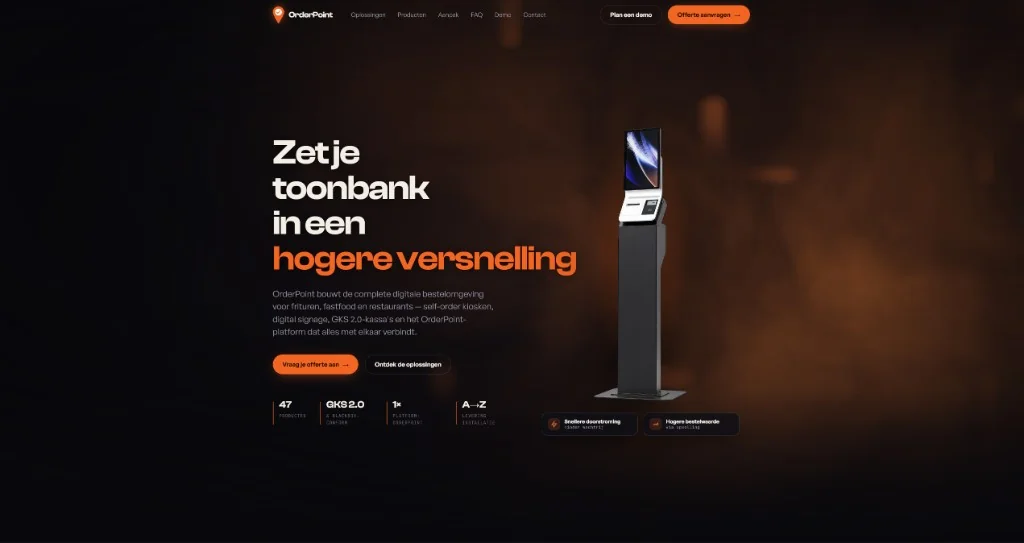
OrderPoint
A premium marketing site for a Belgian horeca-automation company: WebGL shader atmosphere, a filterable catalog of 48 products across 14 categories, and a multi-step quote wizard. The site is live, and it’s phase one of a larger OrderPoint ecosystem now in the works.
Visit site →JB-Signs
Identity and website design for JB-Signs: Zulte’s one-stop shop for print, visual communication, IT, and end-to-end business projects. Rebrand and site design by Jan / itsBryce.
Visit site →This slot is open
Hardware, software, or the awkward space in between. If it needs to exist and doesn’t yet, that’s the brief.
Built in-house
Relivem
Nostalgia photo journaling: daily prompts, a timeline of memories, tagging, and exportable metadata. Your history stays yours.
In developmentWhy one partner works
Direct.
You talk to the person building it. No account manager translating, no telephone game between you and the code.
No handoffs.
Design, firmware, app, cloud: one head holds the whole system. Nothing gets lost between departments, because there are none.
One invoice.
You pay a team of one. Full accountability included at no extra charge.
Tell us what you wish existed
A rough idea is enough. We’ll figure out the layers together, and tell you honestly which ones you don’t need.
jan@itsbryce.com →